ADVERTISEMENT
The Microsoft Authenticator app is a robust solution designed for users who seek enhanced security and ease in managing their online accounts. Targeted at both personal and professional users, it aims to simplify the often cumbersome process of logging into various services while providing a secure environment. By utilizing multi-factor authentication (MFA) or going passwordless, this app is tailored for those who value their digital security and prefer a streamlined, efficient approach to account management. Whether you are using it for a Microsoft personal account or accessing work and school resources, the goal remains consistent: to make your online experience safer and simpler. 📱
1. Multi-Factor Authentication (MFA): The Microsoft Authenticator app provides a second layer of security by requiring a second verification step after entering your password. This makes unauthorized access significantly harder for malicious actors. Approving notifications or entering time-based one-time passwords (OTP) generated by the app ensures your accounts stay protected. 🔐
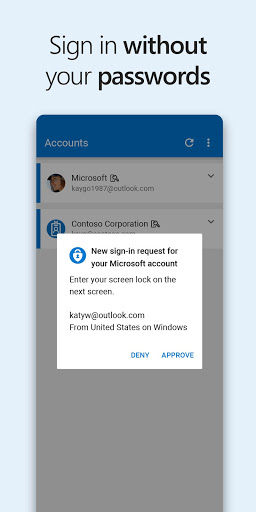
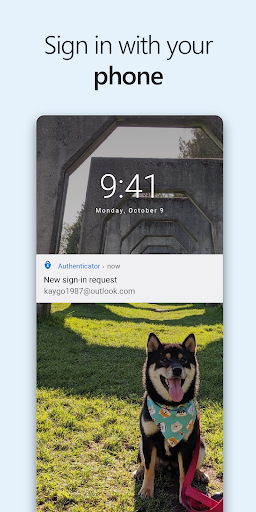
2. Passwordless Sign-In: With the Microsoft Authenticator app, users can choose to log in without a traditional password. Simply input your username and approve the notification sent to your device, using your fingerprint or face ID as an added security step. This innovative feature is particularly appealing to those looking for a seamless login experience. 😊
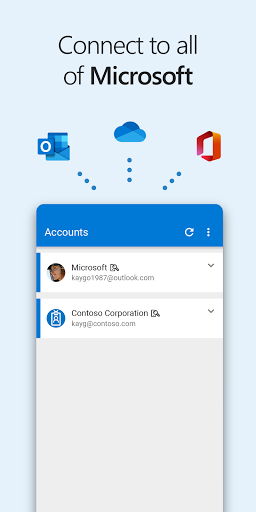
3. Multiple Account Management: Users can add various accounts to the app, ranging from Microsoft accounts to non-Microsoft platforms like Facebook and Google. This capability means you don't need to juggle multiple apps, as the Microsoft Authenticator app serves as a one-stop solution for securing all your important accounts. 🌐
4. Integration with Work and School Accounts: For professional users, the app allows for easy registration of work or school accounts, providing access to applications and services without repetitive logins. This ensures a smooth workflow, especially in organizational settings. ✔️
1. User Interface Improvements: While the Microsoft Authenticator app is functional, a more intuitive user interface could improve the overall user experience. Simplifying navigation would be beneficial, particularly for less tech-savvy users. 🎨
2. Enhanced Support for Non-Microsoft Accounts: Although the app supports various non-Microsoft accounts, improving the setup process for these would make the Microsoft Authenticator app even more versatile. Users could benefit from a more guided experience when adding third-party accounts. 🔧
3. Offline Capabilities: While the one-time passwords (OTP) work without a network, allowing more functionalities in offline mode would enhance usability. Users might appreciate the ability to manage settings or perform backups without connectivity. 📶
Many users commend the Microsoft Authenticator app for its seamless functionality and robust security features. One user noted, "I love how easy it is to approve logins with just a tap on my phone!" Others appreciate the passwordless login option, stating it simplifies their daily routines significantly. 🌟
However, some users express concerns regarding the app's interface, indicating it can be confusing at times, especially when managing multiple accounts. Another user mentioned, "It’s secure, but I wish the setup process for external accounts was easier," reflecting a common desire for improvement in usability. Overall, the app garners a mix of appreciation and constructive feedback, indicating its reliability while highlighting areas for development. 📝
ADVERTISEMENT
Safe & Fast App Downloads on Tapocket
Tapocket secures downloads of the Microsoft Authenticator with signature verification.