

ADVERTISEMENT
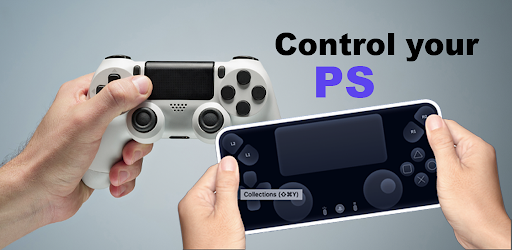
The Ps Controller for PS4 PS5 app is designed for gamers who want to enhance their gaming experience on the PlayStation 4 and PlayStation 5 consoles. This app aims to provide users with the capability to control their PlayStation consoles remotely using their mobile devices, making it an ideal solution for those who may not have a spare Dualshock controller handy or wish to play from a different location. Whether you’re a casual gamer or a serious player, this app is targeted towards anyone looking to enjoy remote access to their gaming console. 🎮
In essence, by downloading the Ps Controller for PS4 PS5 app, players can feel more connected to their console, even when they are away from the physical controller, enabling gameplay without interruption. 📱
1. Virtual Dualshock Controller: The primary function of the Ps Controller for PS4 PS5 app is its ability to transform your smartphone into a virtual Dualshock controller. This feature is particularly beneficial for players who need a second controller for multiplayer gaming sessions, eliminating the need to purchase additional hardware. 📲
2. Low Latency Streaming: The app enables users to stream games from their PS4 or PS5 with low latency, ensuring that lag is kept to a minimum. This feature is crucial for maintaining a seamless gaming experience, particularly for those engaging in fast-paced games. ✨
3. On-Screen Controller: The app also acts as a second screen for PS gaming, providing an on-screen controller that fits perfectly on your mobile device. This flexibility allows for greater maneuverability and the ability to game from virtually anywhere, as long as you have an internet connection. 🌍
4. Support for Third-party Controllers: The Ps Controller for PS4 PS5 app doesn’t limit users to just the virtual controller; it also supports various third-party DualSense and DualShock controllers, ensuring compatibility with all Android devices. This feature adds a layer of customization and personal preference to how you control your gaming experience. 🕹️
1. Mobile Data Usage: One of the concerns with the Ps Controller for PS4 PS5 app is the high amount of data it consumes, especially when using mobile data. Improving data efficiency could make the app more accessible for users with limited data plans. 📉
2. User Interface Improvements: While functional, some users have noted that the user interface could be more intuitive and user-friendly. Streamlining the design could enhance the overall user experience, making it easier for new users to navigate. 🛠️
3. IOS Compatibility: The app currently primarily supports Android devices. Expanding availability to IOS could significantly increase its user base and cater to a wider audience of PlayStation gamers. 📲
User feedback on the Ps Controller for PS4 PS5 app has been mixed. Some players have praised its functionality, especially the virtual Dualshock controller feature, that allows for seamless remote gameplay. One user noted, "This app saved me during a multiplayer night when I didn't have an extra controller!" 🌟
However, there have also been criticisms regarding its mobile data usage. A user mentioned, "While the app is great, it consumes way more data than I expected, which could be an issue for some." 📉
Overall, while there are commendable features, some enhancements would make the Ps Controller for PS4 PS5 app even more appealing. Users encourage developers to focus on saving data usage while improving the interface and expanding compatibility. 🛠️
ADVERTISEMENT
Safe & Fast App Downloads on Tapocket
Tapocket secures downloads of the Ps Controller for PS4 PS5 with signature verification.



Master Twitch Streaming: Turn Your Passion into a Thriving Community Hub

Canvas Student App: Transform Your Study Routine and Ace Your Courses Effortlessly! 🚀

Unlock the Power of Google Photos: Effortlessly Organize, Edit, and Relive Your Memories Like a Pro

YouTube Music —— Transform Your Daily Soundtrack into a Personalized Symphony 🎶


